
What Does a VPN Really Hide? VPN Anonymity Explained
Discover the truth about VPNs and what they really hide. Learn how VPN anonymity works and whether a VPN can truly make you completely anonymous online. Explore the benefits and limitations of using a VPN for your privacy.
11/2/20254 min read
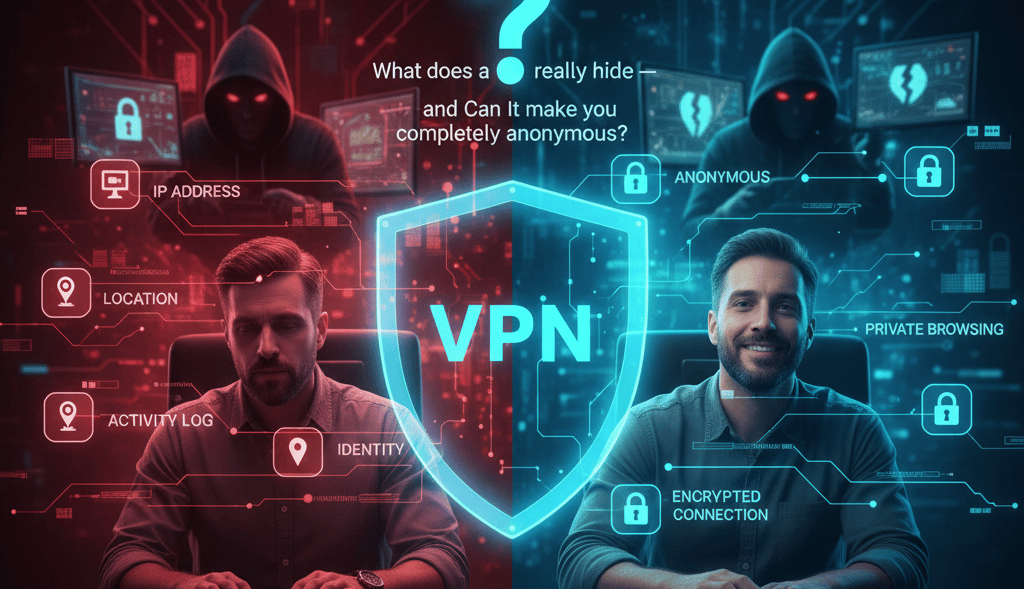
If you’ve been thinking about using a VPN to improve your online privacy, access restricted content, or protect yourself on public Wi-Fi, you’re definitely not alone. VPNs have exploded in popularity, and for good reason. They’re one of the simplest ways to shield your identity and browse more safely.
But here’s the big question most people have:
What exactly does a VPN hide… and what can’t it hide?
A VPN is a powerful privacy tool, but it’s not magic. Understanding its strengths and its limitations will help you stay genuinely safer online without falling for false expectations.
Let’s break it all down in simple, non-technical terms.
What a VPN actually is?
A Virtual Private Network (VPN) is a service that encrypts your internet connection and routes it through a secure server. Think of it like placing your online activity inside a locked tunnel. Outsiders can see that something is happening, but they can’t see what you’re doing.
When connected to a VPN:
Your IP address is hidden
Your connection is encrypted
Your location appears different
Your online traffic becomes unreadable to outsiders
This protects you from snoops on public Wi-Fi, prevents your Internet provider from tracking you, and makes it harder for websites to follow your digital footprint.
Related guides
What a VPN does hide
✔ Your real IP address
Your IP address identifies your device on the internet and reveals your approximate location.
A VPN replaces your real IP with one from its server.
To the outside world, you appear to be browsing from another city or even another country.
Good for: Privacy, bypassing tracking, accessing geo-blocked content.
👉Learn how to hide your IP address
✔ Your location
Because your IP is replaced, websites only see the VPN server’s location.
This is how VPNs help you access:
Streaming catalogs from other countries
Blocked websites
Region-restricted apps
👉Learn which for which countries a VPN is essential
✔ Your internet activity (From your ISP and public Wi-Fi)
Your VPN encrypts everything you do online.
That means:
People on public Wi-Fi can’t spy on you
Hackers can’t intercept your data
Your ISP (Internet Service Provider) can’t see the sites you visit
Your browsing becomes unreadable to outsiders
Encryption is the core superpower of a VPN.
👉Learn what your Internet Service provider knows about you
✔ Your Identity (partially)
While a VPN hides your IP and location, it doesn’t erase all identifying information. But it does make you much harder to track through networks, ads, or open Wi-Fi.
What a VPN does NOT hide
VPNs are powerful — But not a magic cloak of invisibility
Even the best VPN can’t make you 100% anonymous, because you still interact with websites, apps, and platforms that gather information in different ways.
However…
A premium VPN significantly boosts your privacy and makes you dramatically harder to track, monitor, or exploit.
But only if you use a trustworthy provider.
That leads us to the important part…
The best VPNs for real privacy
NordVPN is known for extremely strong security and unmatched speed.
It uses:
Double encryption options
Threat Protection (blocks ads + malware)
WireGuard-based NordLynx protocol
Independently verified no-logs policy
Perfect if you want maximum protection without sacrificing speed.
This is where many beginners get confused. A VPN protects a lot. But, not everything.
Here’s what you need to know.
✘ Your logged-in account activity
If you're signed into:
Google
Facebook
Instagram
Amazon
TikTok
Netflix
…those platforms can still see what you do while logged in. A VPN doesn’t override your account permissions.
👉Learn which VPNs do not sell or keep logs of your data
✘ Your search history (When logged into Google)
Google tracks searches through your account, not your IP.
Even with a VPN, Google knows:
Your search history
YouTube activity
Ads you click
Location if you share it through the app
👉 To avoid this you can use alternative browsers like: Brave
✘ Malware or Viruses
A VPN encrypts your traffic.
It does not:
Scan downloads
Block malicious files
Clean infections
You still need basic cyber hygiene and ideally an antivirus.
✘ Cookies already stored on your device
Cookies track you locally.
A VPN can’t delete or block the ones already saved on your browser.
✘ Protection from phishing
If you click a fake email link and enter your password, a VPN can’t save you.
That’s why safe browsing habits still matter.
👉Avoid being a victim from cybercrime - how to spot it before it happens?
Surfshark — Best for unlimited devices
Surfshark offers premium protection without a premium price tag.
Highlights:
Unlimited devices (great for families)
Fast, reliable speeds
CleanWeb ad & tracker blocker
Multihop for extra privacy
Ideal if you need protection on every device you own.
A VPN protects you. But you still need smart habits
A VPN hides a lot, including:
✔ Your IP
✔ Your location
✔ Your online activity from Wi-Fi & ISPs
✔ Your digital identity (partially)
But it does not hide:
✘ Activity inside logged-in accounts
✘ Malware or bad downloads
✘ Phishing attempts
✘ Cookies already stored
✘ Everything you do on the internet
Think of a VPN as:
The foundation of your privacy — not the entire house.
To stay safer online:
Use strong, unique passwords
Enable 2FA
Avoid suspicious links
Keep software updated
Combine safe habits with a trusted VPN
And if you want the biggest privacy upgrade you can make in minutes?
Choose one of these top-tier VPNs:
🔵 NordVPN — strongest security
🟢 Surfshark — unlimited devices
🟣 PureVPN — easiest for beginners
NordVPN — Best overall privacy protection
PureVPN — Best for simplicity & everyday use
PureVPN is lightweight, beginner-friendly, and extremely affordable.
Includes:
Strong encryption
Large server network
Great for streaming & casual browsing
Independently audited no-logs policy
If you want a simple, reliable VPN without complexity, PureVPN is a solid pick.